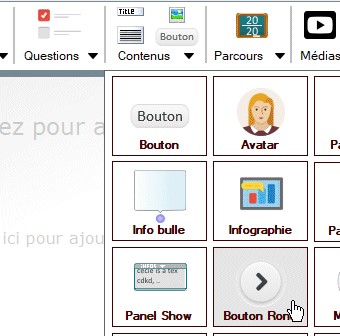
Personnalisation boutons Rond
Style de base :

Ajouter le code suivant dans Manager CSS : |
.roundboutongray { position : absolute; border : solid 2px black; background-color : black; } .roundboutongray a { background-color: white; box-shadow: none; } .roundboutongray li:before { border-top: 1px solid black; border-bottom: 1px solid black; } .roundboutongray a:before { background: black; border-top: 2px solid black; box-shadow: inset 0px 8px 48px black; } .roundboutongray a:hover { color: black; background: white; } |
Pour ce rendu :
|
Ajouter le code suivant dans Manager CSS : |
.roundboutongray { position : absolute; border : solid 2px #A9D0F5; background-color : white; } .roundboutongray a { background-color: #A9D0F5; box-shadow: none; } .roundboutongray li:before { border-top: 1px solid white; border-bottom: 1px solid white; } .roundboutongray a:before { background: white; border-top: 2px solid white; box-shadow: inset 0px 8px 48px white; } .roundboutongray a:hover { color: white; background: #A9D0F5; } |
Pour ce rendu :
|
Ou choississez une couleur sur ce site :
puis appliquer le code suivant en remplacant le nom #color par le nom choisie
.roundboutongray {
position : absolute;
border : solid 2px #color;
background-color : white;
}
.roundboutongray a {
background-color: #color;
box-shadow: none;
}
.roundboutongray li:before {
border-top: 1px solid white;
border-bottom: 1px solid white;
}
.roundboutongray a:before {
background: white;
border-top: 2px solid white;
box-shadow: inset 0px 8px 48px white;
}
.roundboutongray a:hover {
color: white;
background: #color;
}
LUDISCAPE - 2012-2020